Test automation
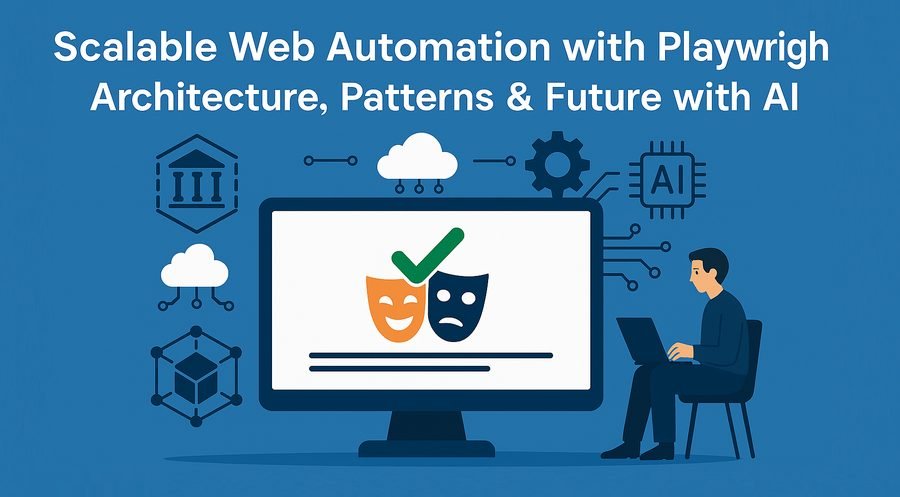
Scalable web automation with Playwright: architecture, patterns and AI
Introduction
At our organization, we leverage Playwright as a core automation solution to deliver scalable and maintainable test frameworks for a diverse range of clients. From fast-moving startups to enterprise-scale platforms, Playwright enables us to build efficient test suites that support modern web architectures and rapid release cycles.
Playwright is a modern web automation framework developed by Microsoft, enabling reliable end-to-end testing for web applications across all major browsers. Designed to be fast, powerful, and cross-platform, Playwright supports Chromium, Firefox, and WebKit with a single API. Its capabilities go beyond basic test scripting — enabling multi-page interactions, advanced context handling, and potential synergy with AI-driven agents.
In this article, we’ll dive into how Playwright works, its architecture, best practices (like the Page Object Model), how to integrate AI for generating test scripts, and how it fits into enterprise platforms like MCP (Microservice Control Platforms).
⚙️ How Playwright Works
Playwright automates browsers using a protocol layer that interacts directly with browser engines:
- It launches browsers in headless or headed mode.
- Creates isolated browser contexts (for test isolation).
- Interacts with the DOM via selectors (
page.locator()). - Supports parallel test execution, network mocking, file uploads, iframes, and more.
Basic Flow:
- Launch browser (
chromium.launch) - Create context & page
- Perform actions (
page.goto,click,fill, etc.) - Assert outcomes (
expect(locator).toHaveText())
🏗️ Playwright Architecture
Key Components:
| Component | Description |
|---|---|
| Playwright API | Core JavaScript/TypeScript/Python/.NET/Java APIs |
| Driver Layer | Controls communication with browser engines (Chromium, Firefox, WebKit) |
| Browser Context | Emulates user profiles to isolate cookies, storage, etc. |
| Test Runner | Playwright Test (built-in), or use Jest, Mocha, etc. |
| Trace Viewer | Records and replays execution for debugging |
Execution Model:
- Fully async via
awaitand promises. - Uses WebSocket or CDP (Chrome DevTools Protocol) for real-time communication.
- Built-in auto-waiting for selectors, timeouts, and network stability.
🧠 Playwright & AI: Writing Tests with Agents
AI agents (like OpenAI’s Codex/GPT or GitHub Copilot) can generate Playwright test scripts by:
- Understanding UI flows from design specs or wireframes.
- Parsing documentation or user stories.
- Analyzing DOM structure and predicting interactions.
Example Prompt → Script Generation:
Prompt: "Write a Playwright test to log into a dashboard using username and password."
AI Output:
test('Login to dashboard', async ({ page }) => {
  await page.goto('https://example.com/login');
  await page.fill('#username', 'admin');
  await page.fill('#password', 'password123');
  await page.click('button[type=submit]');
  await expect(page).toHaveURL(/.*dashboard/);
});
This can be enhanced with metadata from MCP or test management platforms to generate entire test suites.
🧩 Design Patterns & Best Practices
To maintain a scalable codebase, adopt the following patterns:
1. Page Object Model (POM)
Abstract UI elements and actions into classes:
class LoginPage {
  constructor(page) {
    this.page = page;
    this.username = page.locator('#username');
    this.password = page.locator('#password');
    this.loginBtn = page.locator('#loginBtn');
  }
  async login(user, pass) {
    await this.username.fill(user);
    await this.password.fill(pass);
    await this.loginBtn.click();
  }
}
2. Spec Organization
/tests/for specs/pages/for POM classes/utils/for helper functions/fixtures/for test data
3. Test Tagging & Grouping
Use @smoke, @regression, etc. to organize runs:
test.describe('@smoke', () => {
  test('homepage loads', async ({ page }) => {
    await page.goto('/');
    await expect(page.locator('h1')).toBeVisible();
  });
});
🧭 Integration with MCP (Microservice Control Platforms)
Playwright fits well in microservice-heavy environments:
- Test APIs and UIs together by launching mock servers alongside the app.
- Isolate tests using Docker, Kubernetes, or playwright test projects.
- Generate reporting to MCP dashboards with tools like:
- Allure
- HTML Reporters
- Playwright Tracing
🧰 Tooling & Extensions
- Playwright Test Runner: Built-in runner with fixtures, retries, and parallelism.
- Trace Viewer: Visualize test runs frame by frame.
- VSCode Extension: Record tests via UI interaction.
- CI Integration: Works with GitHub Actions, Jenkins, GitLab CI, CircleCI.
🚀 Future of Automation with AI + Playwright
- Auto-generating test cases from Figma/UX flows.
- Maintaining flaky tests automatically.
- Creating self-healing tests with AI-based locators.
- Building test coverage maps from user analytics.
🔚 Conclusion
Playwright offers a robust, modern solution for web automation that aligns well with today's full-stack development, microservices, and DevOps pipelines. By combining structured design patterns with AI-assisted test generation and centralized platforms like MCP, teams can scale their automation strategy faster and more effectively.